
You have about $1,500 a month for marketing. One person says SEO. Your nephew says Instagram. A sales rep says Google Ads.
Pick wrong and you don’t go broke. You just spend the spring paying for a channel your business wasn’t ready to feed, and you head into summer with nothing to show for it.
Most small businesses can fund one channel well, so the first pick matters. Here is how to make it.
Quick answer
Start with Google Ads if people already search for what you sell and you need calls this month. Start with SEO if you can wait several months for leads that keep coming after you stop paying for clicks. Start with social media ads if your work sells on photos and you have the budget to feed the platform enough results. Fund one channel properly before adding a second.
This is ThinkDMG’s rule of thumb. The rest of this guide shows you how to check which case you are.
SEO, Google Ads and social ads side by side
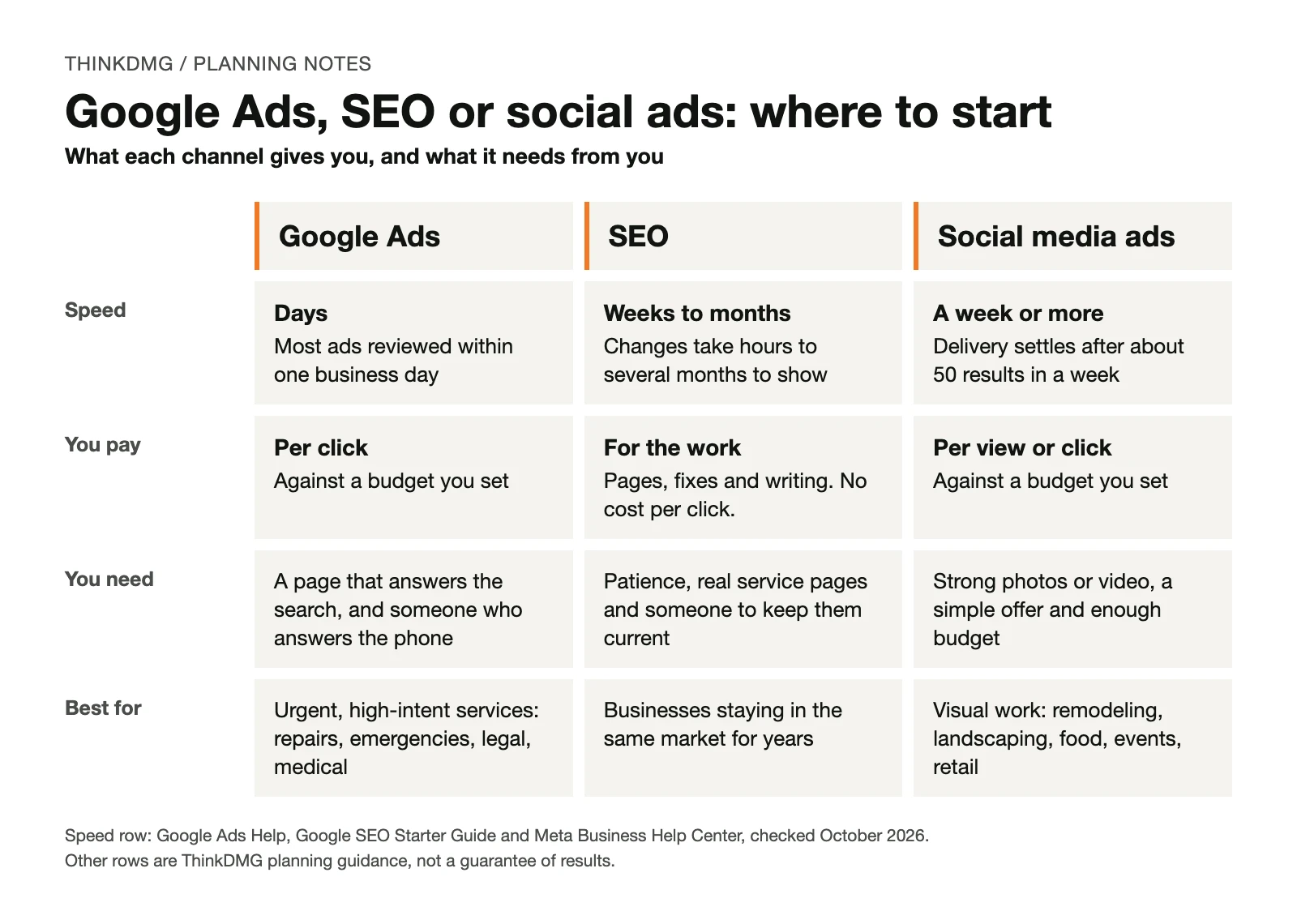
Each channel does a different job. This table compares them on what an owner actually feels: how fast you hear back, how you pay and what the channel needs from you.
| Google Ads | SEO | Social media ads | |
|---|---|---|---|
| Best at | Reaching people searching for your service right now | Showing up in free search results for your services, month after month | Putting your work in front of local people before they search |
| How fast you get feedback | Days. Google reviews most ads within one business day. | Weeks to months. Google says some changes show in hours and others take several months. | A week or more. Meta says delivery usually settles after about 50 results in a week. |
| How you pay | Mostly per click, against a budget you set | Time or fees for pages, fixes and writing. No charge per click. | Per view or per click, against a budget you set |
| What it needs from you | A page that answers the search, and someone who picks up the phone | Patience, real service pages and someone to keep them current | Strong photos or short video, a simple offer and enough budget |
| Fits best | Urgent or high-intent services: repairs, emergencies, legal, medical | Businesses staying in the same market for years | Visual work: remodeling, landscaping, food, events, retail |
The speed row comes from Google’s ad review guide, Google’s SEO Starter Guide and Meta’s learning phase guide. The other rows are ThinkDMG guidance.
Google Ads: fastest feedback, least forgiving
Google Ads puts you at the top of the page when someone types “water heater replacement Sewell” or “DUI lawyer Camden County.” They already know what they want. Your job is to show up and make calling you easy.
That makes it the quickest of the three to teach you something. Google reviews most ads within one business day, and an approved ad starts running right away. Within a few weeks you see who clicks, who calls and what they ask.
The catch: every click costs money. A confusing page or a missed call wastes it.
One budget detail surprises owners. Google can spend up to twice your average daily budget on a busy day. Over a month, it won’t charge more than 30.4 times that daily amount, according to Google’s budget rules. Plan your cash around the monthly number, not the daily one.
Plain English: search intent
What the person typing is trying to do. “Patio pavers cost” is someone researching. “Paver patio contractor near me” is someone ready to call. Google Ads works best when you pay for the second kind.
SEO: slowest start, longest life
SEO (search engine optimization) is the work that helps your pages show up in Google’s free results. You don’t pay per click. You pay in time, writing and website fixes.
The trade is speed. Google’s own SEO Starter Guide says some changes take effect in hours and others take several months. It suggests waiting a few weeks before judging whether a change helped.
So SEO fits owners who can fund the work now and wait for the payoff. It also fits businesses with a thin website. If one page lists every service you offer, building real service pages helps SEO now and any ads you run later. Our SEO services page explains what that work includes.
Social media ads: great photos aren’t enough
Facebook and Instagram ads reach people while they scroll. They weren’t looking for you. A strong before-and-after photo gives them a reason to stop.
That works for visual, planned purchases. It works poorly for emergencies. Nobody books a plumber from their feed while water covers the basement floor.
Here is the part most owners never hear. Meta’s system learns who to show your ads to by watching results. Meta says an ad set usually leaves this “learning phase” after about 50 results in the week after its last major edit. A small budget that produces a handful of leads a week gives the system little to learn from.
Plain English: learning phase
The stretch after you launch or change a social ad when the platform is still figuring out who responds. Results bounce around more during it. Editing the ad often starts it over.
Our social media marketing page covers both paid ads and regular posting.
Meet Example Outdoor Living: the photos that almost made the call
Example Outdoor Living is fictional: the company, its costs and its numbers. It’s here to show the method, not to predict your results.
Example Outdoor Living builds decks and paver patios around Mullica Hill and Washington Township in Gloucester County. It’s January. The owner wants more estimate requests before the spring rush, and she has $1,500 a month to spend.
She has great project photos, a clear patio page and an office manager who answers the phone weekdays. She has no record of which past leads became signed jobs.
Her first instinct: social ads
Her photos are her best asset, so Instagram feels obvious. Then she does the math, using a planning guess of $40 per lead:
| Fictional social ads plan | Number |
|---|---|
| Monthly budget | $1,500 |
| Planning guess per lead | $40 |
| Leads per month ($1,500 ÷ $40) | 37.5 |
| Leads per week (37.5 ÷ 4.33 weeks) | about 9 |
| Results Meta says it usually needs per week to settle | about 50 |
| Weekly budget to reach 50 leads at $40 | $2,000 a week |
Her budget buys about nine leads a week. Feeding Meta 50 leads a week at that price would take about $2,000 a week, more than five times what she has. Her ads would spend the spring stuck in learning.
Some advertisers fix this by telling the platform to chase something more common, like clicks. In our view that gets ads out of learning faster but trains the system to find clickers, not customers.
Her second look: Google Ads
She checks Google’s Keyword Planner and sees steady local searches for patios and decks. Her patio page answers those searches. She runs the same budget through a planning sketch, using her own guesses:
| Fictional Google Ads plan | Number |
|---|---|
| Monthly budget | $1,500 |
| Planning guess per click | $6 |
| Clicks per month ($1,500 ÷ $6) | 250 |
| Share of clicks that become leads (guess) | 8% |
| Leads per month (250 × 8%) | 20 |
| Share of leads she closes (guess) | 25% |
| Signed jobs per month (20 × 25%) | 5 |
Every rate in that table is a guess, and she labels it that way. Her break-even check is simple: does the profit on her signed jobs cover the $1,500 plus her management and page costs? Her own job values answer that, not a benchmark.
The bigger point is that Google Ads gives her an answer within weeks, while there is still time to adjust before May. To check those guesses against her real numbers, she reads how many leads you need to hit a customer goal.
Her decision
- Now: Google Ads on patios and decks.
- Week one: a lead log. Every lead gets marked booked, lost or still open.
- This winter: build the missing deck page and a page for the towns she serves. That’s her SEO start.
- Later: social ads shown to people who already visited her site, once she knows which jobs sell.
Why the lead log comes first: without it, she can’t tell whether Google Ads produced signed jobs or just phone calls. Every channel decision after this one depends on that record.
What to have ready before you spend anything
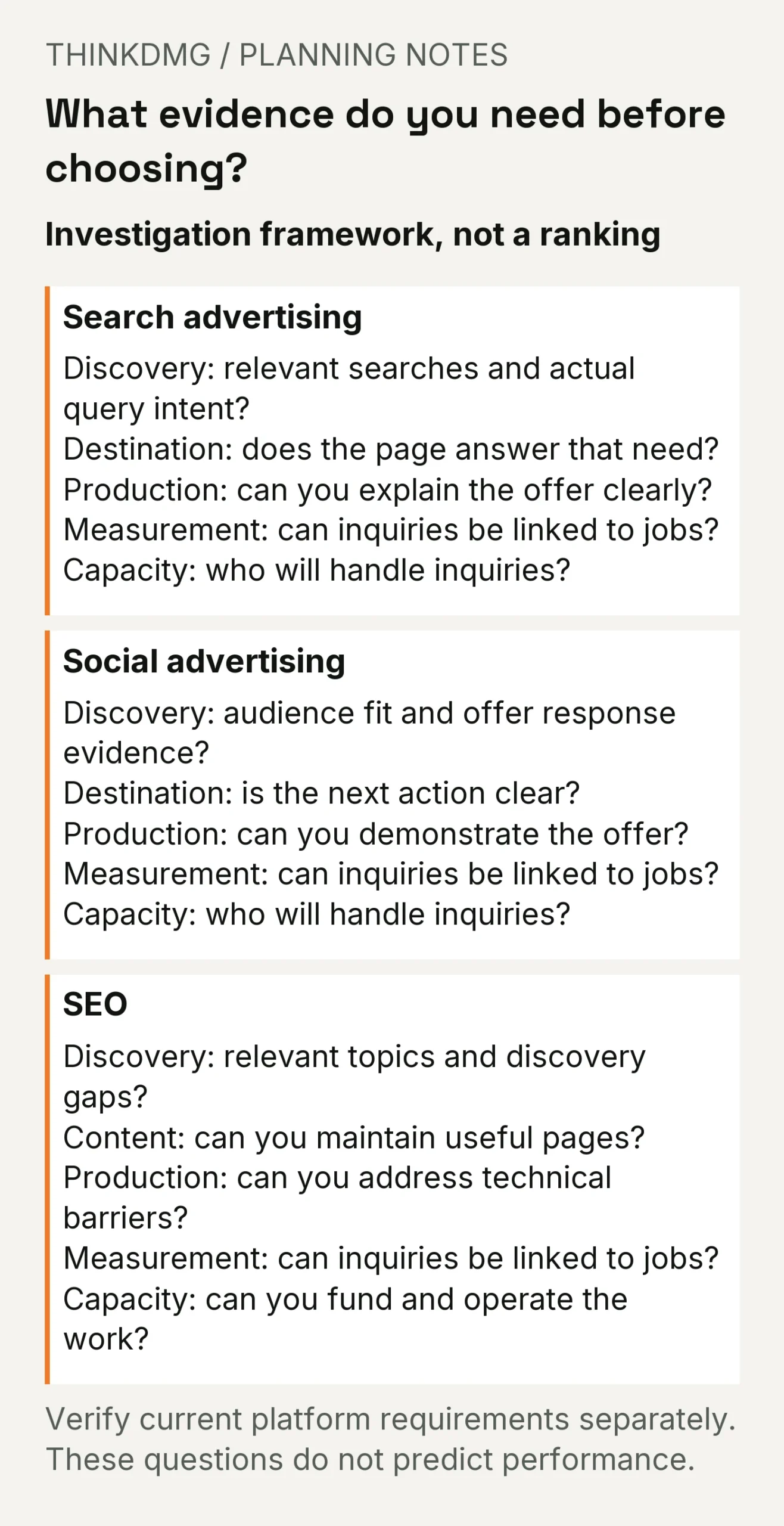
A missed call or a broken form costs more than picking the “wrong” channel. This is the checklist ThinkDMG recommends before you spend a dollar on any channel.
- A one-line goal. “More business” isn’t a goal. “Twelve paver patio estimates in Gloucester County by May” is.
- The page people will land on. It names the service, the area you serve and how to reach you.
- Photos of real work. Required for social ads, helpful everywhere else.
- Someone assigned to answer leads, and an agreed answer time.
- A way to see which leads became jobs. A shared spreadsheet is enough to start.
- A budget for more than ads. Management, photos, page edits and tracking all cost something.
For every cost besides ad spend, see what a marketing budget should include besides ads. To set your ceiling first, read how much your business can afford to spend on marketing.
Your channel scorecard
Answer each row yes or no. The column with the most yeses is your likely starting point. A “no” in a row marked must means fix that first, whatever the total says.
| Question | Google Ads | SEO | Social ads |
|---|---|---|---|
| Do people in your area search for what you sell? (Check Keyword Planner.) | Must | Must | Not needed |
| Does your landing page name the service, area and how to reach you? | Must | Must | Must |
| Do you need leads within 30 days? | Yes | No | Yes |
| Can you wait six months or more for results? | Not needed | Yes | Not needed |
| Do you have strong photos or short video of real work? | Helpful | Helpful | Must |
| Will your budget buy close to 50 leads a week? | Not needed | Not needed | Helpful |
| Is someone assigned to answer every lead? | Must | Must | Must |
| Can you tell which leads became paying jobs? | Must | Must | Must |
This scorecard is ThinkDMG’s planning tool, not a guarantee. If a row is hard to answer, that row is where your budget would have leaked.
Five mistakes that waste a first channel budget
| Mistake | What it costs you | The fix |
|---|---|---|
| Splitting a small budget across three channels | None of them gets enough money to show you anything | Fund one channel properly first |
| Choosing social ads because your photos are good | A budget too small for the platform to learn from | Run the 50-results-a-week math first |
| Sending ad clicks to your home page | People can’t find the service they searched for | Send each ad to the page for that service |
| Judging SEO after six weeks | You quit right before work starts paying off | Agree on a review date measured in months |
| Counting calls instead of signed jobs | You keep paying for the channel that rings most, not the one that pays | Keep a lead log from day one |
How this fits with our other channel guides
Two deeper comparisons pick up where this one stops.
SEO vs PPC for small business is about timing. It includes our First-Dollar Channel Test, which scores urgency, website readiness, search demand, tracking and budget patience.
Facebook Ads vs Google Ads for local service businesses compares the two paid platforms and which local service types tend to fit each.
Use this guide to pick a lane. Use those two to plan inside it.
What to do this week
- Write your one-line goal: service, area, number of leads and a date.
- Open the page you would send people to. Would a stranger know what you do, where and how to reach you?
- Name the person who answers new leads, and agree on how fast.
- Start a lead log. Mark each lead booked, lost or still open.
- Fill in the scorecard above and circle one channel.
Free tool: get a written ad plan
Answer a few questions about your business, goal and budget. The Paid Advertising Planner gives you the paid options that fit, plus the gaps to fix before launch. No account needed.
When to ask a marketing agency for help
Picking a channel is one decision. Setting it up so you can trust the results is another. A second set of eyes pays off if:
- You have tried a channel before and can’t say whether it produced jobs
- Your website has one page for every service you offer
- You get calls from ads but can’t tell which ones booked
- You are about to sign a contract and can’t compare what’s included
ThinkDMG works with local businesses across South Jersey and Greater Philadelphia on SEO, Google Ads management and social advertising.
Questions owners ask about choosing a channel
Should I run SEO, Google Ads and social ads all at once?
Usually not at the start. Three half-funded channels teach you less than one funded properly. Add a second once the first produces leads you can track to jobs.
What if nobody searches for what I sell?
Then Google Ads and SEO have little demand to capture. Social ads, email and referrals do more, because they reach people before they think to search. Check Google’s Keyword Planner before you decide.
Can I do SEO myself?
Yes. Google’s SEO Starter Guide is free and written for site owners. The hard parts are time and consistency. Useful service pages take hours to write and keep current.
How much should I spend to test Google Ads?
Start from what you can afford, not a platform minimum. Our affordability guide walks through that number. Then work out what you can pay for each lead.
Is boosting a Facebook post the same as running ads?
A boost is a real ad made from a post already on your Page. Meta’s boost guide lets you choose a goal, audience, daily budget and placements. The real question is whether that post makes a good ad. One money tip from the same page: Meta says Apple can take a 30% fee when you boost from the Facebook app on an iPhone or iPad. Boost from a computer instead.
How long should I give a channel before switching?
Set the review date before you launch. For Google Ads, a few weeks shows you whether people click and call. For social ads, wait until the ads leave learning. For SEO, Google suggests waiting weeks to judge a change, and full results take months.
Next step: bring your scorecard to a free First-Dollar Review
Bring your filled-in scorecard, your monthly budget, the page you’d send people to and any record of last season’s leads. In a free First-Dollar Review (our free marketing consultation), ThinkDMG will tell you which channel should get your first dollar and what to fix before you spend it. Request your First-Dollar Review.
Sources
- Google Ads Help: About the ad review process. Most ads are reviewed within one business day; approved ads start running.
- Google Ads Help: About average daily budgets. Daily spend can reach twice the average daily budget; monthly charges are capped at 30.4 times it.
- Google Search Central: SEO Starter Guide (last updated December 10, 2025). Changes take from a few hours to several months to show; wait a few weeks to assess.
- Meta Business Help Center: About the learning phase. Ad sets usually exit learning after about 50 results in the week after the last significant edit.
- Meta Business Help Center: Boost a post from your Facebook Page. Boost settings include goal, audience, daily budget and placements; Apple can retain a 30% service fee on boosts bought in the iOS app.
About the numbers: Example Outdoor Living and every rate, cost and count in its example are fictional planning guesses. The arithmetic is real.
