
You’re paying for clicks. The ad dashboard says people are showing up. But the phone isn’t ringing much, and the estimate requests are thin.
The natural move is to spend more. More clicks, more calls. Right?
Not if the page they land on is leaking. Every click on a broken or confusing page costs the same as a click on a great one. Raising the budget just buys more of the leak.
Before you add a dollar, check the page. It takes about an hour, and it’s the cheapest marketing fix most local businesses will ever make.
Why the page matters more than the budget
Here’s a simple, fictional example. Two businesses spend the same $1,500 a month on ads at $5 a click. That’s 300 clicks each. The only difference is the page.
| Same spend, different page | Business A | Business B |
|---|---|---|
| Monthly ad spend | $1,500 | $1,500 |
| Clicks at $5 each | 300 | 300 |
| Share of visitors who call or request an estimate | 4% | 6% |
| Requests per month | 12 | 18 |
| Cost per request | $125 | about $83 |
Fictional numbers to show the math, not a benchmark.
Business B gets 50% more requests for the same money. To match it by spending more, Business A would need to pay for 150 more clicks, another $750 a month.
That’s why the page comes first. Google’s own advice says the same thing: match your landing page to your ad and keywords, and give visitors useful information and a quick way to act. Google notes that this alignment helps improve ad relevance and landing page experience, two parts of your Quality Score.
The five-point pre-spend inspection
Run every page through these five checks before you raise a budget.
| Check | What to look for | Red flag |
|---|---|---|
| 1. Promise | The service in the ad is clearly on the page, near the top | Ad says “furnace repair,” page talks about “home comfort solutions” |
| 2. Offer | Price, discount, terms and limits match the ad exactly | Ad says $80, page says $90, or the fine print only appears after the call |
| 3. Location | The page confirms you serve the area the ad targets | Ad runs in Gloucester County, page lists only Camden County towns |
| 4. Proof | Every claim (“same-day,” “licensed,” “5-star”) is true and specific | “Same-day service” with a two-week schedule |
| 5. Next step | Tap-to-call works, the form submits, and someone gets the message | A thank-you page appears, but the email never arrives |
The rest of this guide walks through each check with one example.
Step 1: Copy the exact ad, not the one you remember
Meet Example Boiler Service, a made-up company serving “Example Town,” a stand-in for a South Jersey suburb. (The company, its ads and its numbers are fictional. They’re here to show the method.)
It’s October. Heating calls are starting, and the owner wants to raise her Google Ads budget for the season.
Before she does, she pulls up the live ad, not the one she wrote in August. Ads get edited, and offers expire. She copies down every claim:
| From her live ad | Claim type |
|---|---|
| “Boiler service in Example Town” | Service and location |
| “$80 tune-up” | Price |
| “Same-week appointments” | Speed |
| “Licensed and insured” | Credential |
| “Book online” | Next step |
That list is her checklist. Every line has to show up on the page.
Step 2: Compare the terms, not just the words
She opens the landing page on her phone. The headline matches. The service matches. Then she scrolls to the price.
The ad says $80. The page says $90.
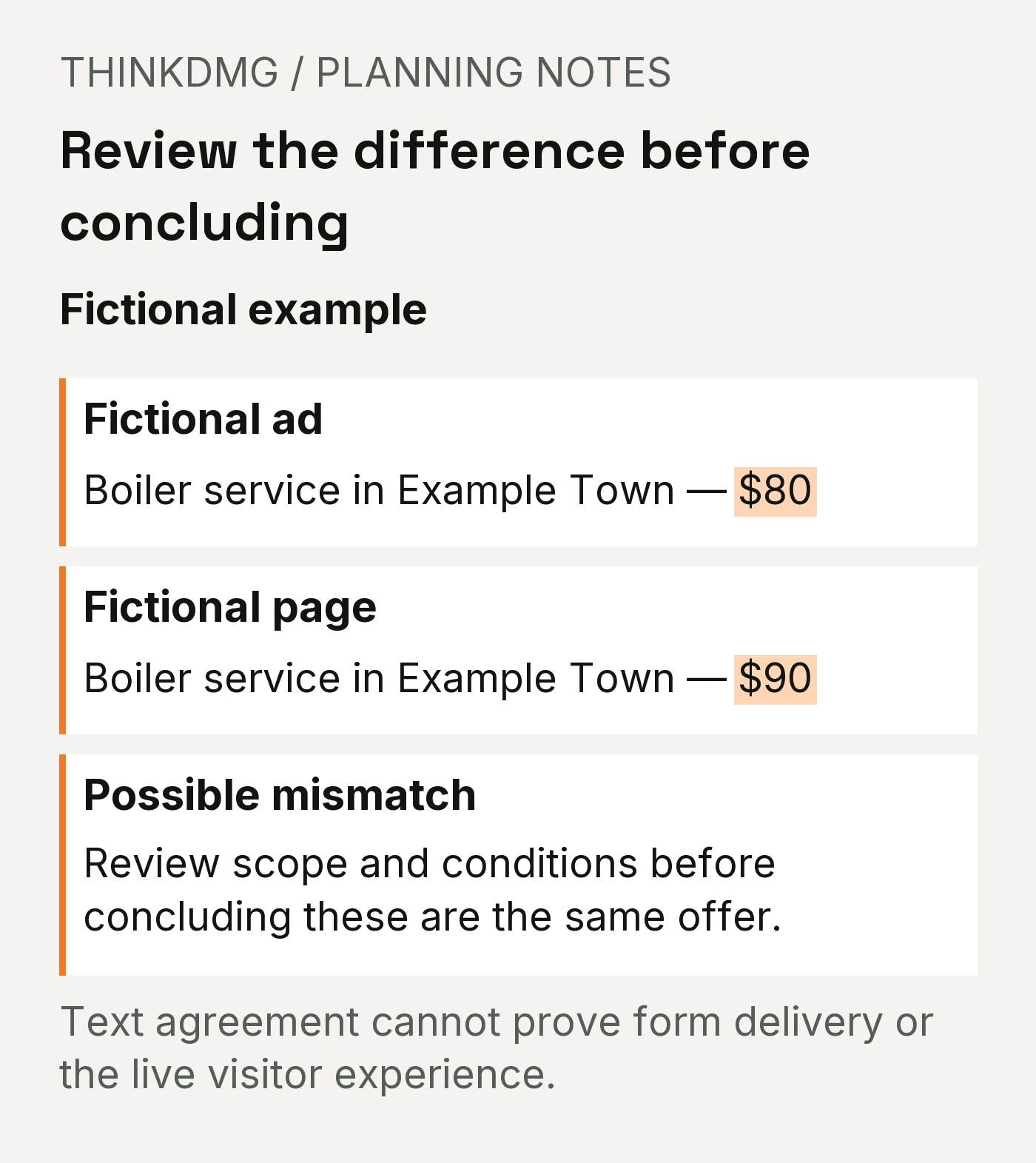
A mismatch like this doesn’t always mean a mistake. But it always needs an answer before more money goes into the ad.
| What might explain it | What to do |
|---|---|
| The $80 price expired and the ad was never updated | Update the ad, or bring back the offer on the page |
| $80 is for one boiler type, $90 for another | Say so on the page, right next to the price |
| $80 is a first-visit price with conditions | Put the conditions next to the price, not in fine print |
| Nobody knows which is right | Stop and decide before spending another dollar |
She fixes it the same day: the ad and the page both say $80 for a standard boiler tune-up, with the conditions listed under the price.
Step 3: Test the path like a customer would
Now she checks whether a customer can actually reach her. She does this on her phone, because most local visitors are on theirs.
| Test | How | Pass looks like |
|---|---|---|
| Tap to call | Tap the phone number on the page | Her phone rings, and the call is answered or goes to a voicemail someone checks |
| Form | Submit a real test request (mark it “TEST”) | The thank-you message appears |
| Delivery | Check the inbox or system the form sends to | The test request arrives within minutes, with every field filled in |
| Follow-up | Note who saw it and when | A named person knows it’s their job to respond |
| Pop-ups and banners | Load the page fresh on a phone | Nothing covers the call button or form |
Step 4: Ask for the right thing at the right moment
Different actions need different information close to the button. Someone booking a $80 tune-up needs different reassurance than someone requesting a $9,000 boiler replacement estimate.
| What you’re asking for | What should sit right next to the button |
|---|---|
| A phone call | Hours, who answers, and the area you serve |
| An estimate request | What happens next, how fast you respond, and whether the estimate is free |
| An online booking | Price, what’s included, and how to reschedule |
| A purchase | Total cost, delivery or service timing, and the return or guarantee terms |
Ask only for what you need at this stage. Example Boiler’s form asked for the boiler’s model number. Most homeowners don’t know it, so she moved that question to the follow-up call.
Step 5: Back up every claim
The fastest way to lose a ready-to-buy customer is a promise that doesn’t hold up.
- “Same-week appointments” has to match the real schedule in October, not July.
- “Licensed and insured” should be true for the work in the ad. If you can, add your license number.
- Reviews and testimonials must be real and from real customers. Never write or edit them yourself.
- Photos should be your own work, or clearly labeled if they aren’t.
Example Boiler’s schedule was running about 10 days out, so she changed “same-week” to “appointments within two weeks.” It’s less flashy, but now it’s true, and customers who call won’t feel misled.
Example Boiler’s completed inspection
Here’s her finished checklist. This is what “ready to spend more” looks like.
| Check | What she found | Status |
|---|---|---|
| Promise | Ad and page both say “Boiler service in Example Town” | Pass |
| Offer | Ad $80, page $90 | Fixed: both now say $80 with conditions listed |
| Location | Page lists every town the ad targets | Pass |
| Proof | “Same-week” didn’t match her schedule | Fixed: changed to “within two weeks” |
| Next step: call | Tap-to-call works on iPhone and Android | Pass |
| Next step: form | Test request arrived in 2 minutes | Pass |
| Next step: follow-up | Office manager owns new requests, owner covers Saturdays | Pass |
| Pop-ups | Chat bubble covered the call button on small phones | Fixed: moved the chat bubble |
Only now does she raise the budget.
What we check first
Here’s our approach at ThinkDMG. When a business asks us to raise its ad budget, we check three things before anything else:
- Does a test call and a test form actually reach a person? If not, nothing else matters yet.
- Does the price on the page match the price in the ad? Expired offers are one of the easiest leaks to miss.
- Can someone on a phone find the call button without scrolling? Most local customers are on their phones.
If all three pass, more budget may be the right call. If any fail, fix them first.
Five landing page mistakes that waste ad spend
| Mistake | What it costs you | The fix |
|---|---|---|
| Sending ads to your homepage | Visitors have to hunt for the service they clicked on | Send each ad to the page about that service |
| Letting the ad and page drift apart | Expired prices and old promises break trust at the worst moment | Re-check the live ad and page every time you change either |
| Trusting the thank-you page | Leads vanish into a dead inbox | Send a test request every month and confirm it arrives |
| Hiding the phone number | Mobile visitors leave instead of scrolling | Put a tap-to-call button near the top |
| Making claims you can’t keep | Customers feel misled and cancel or leave bad reviews | Only promise what your real schedule and credentials support |
Your blank pre-spend checklist
Copy this before your next budget increase, or run the Ad-to-Page Match Checker to speed up the first two rows.
| Check | Your ad says | Your page says | Pass or fix |
|---|---|---|---|
| Service | |||
| Price and terms | |||
| Service area | |||
| Speed claims | |||
| Credentials and proof | |||
| Tap-to-call works | |||
| Test form arrives | |||
| Named person follows up | |||
| Nothing covers the button on a phone |
What to do next
Once the page passes, spend with confidence. If you want to know whether a specific change to the page helps, test one change at a time instead of rewriting everything at once.
If more requests arrive but few become customers, the leak has moved past the page. Our guide to getting leads but no customers covers what happens after the form.
When should you ask a marketing agency for help?
You can run this checklist yourself. Get a second set of eyes if:
- Your test form says “sent,” but you’re not sure where the requests go
- You run several ads to several pages and can’t keep the offers straight
- Your page works on desktop but you’ve never checked it on a phone
- You keep raising the budget and the cost per lead keeps climbing
- You don’t know whether the problem is the ad, the page or the follow-up
Digital Marketing Group works with home services and local businesses across South Jersey and Greater Philadelphia on paid advertising and landing pages built to turn clicks into calls.
Frequently asked questions
Should I fix my landing page or raise my ad budget first?
Fix the page first. A better page lowers your cost per lead without spending another dollar, and more budget sent to a leaking page buys more of the leak. Once the page passes the five checks, raising the budget is a much safer bet.
How often should I check my landing page?
Every time you change the ad or the page, and at least once a month otherwise. Send a test form and make a test call each time. Offers expire, staff change, and form settings break without anyone noticing.
Does my landing page affect what I pay for Google Ads?
Google’s guidance says matching your landing page to your ad and keywords improves ad relevance and landing page experience, which are parts of your Quality Score. Even setting that aside, a better page turns more of the clicks you already pay for into calls.
Can I send my ads to my homepage?
You can, but it usually costs you. Visitors who clicked an ad for one service have to hunt for it. Send each ad to the page that’s specifically about that service, with the same offer and a clear next step.
What’s the landing page problem that’s easiest to miss?
A broken path between the form and a real person. The page looks fine, the thank-you message appears, and the request never reaches anyone. A two-minute test form once a month catches it.
Sources
- Google Ads Help: Create effective landing pages. Recommends matching landing pages to ads and keywords, providing useful content, making it easy to act, and designing for mobile. Notes that alignment helps improve ad relevance and landing page experience, which are components of Quality Score.
About the numbers: Example Boiler Service, Example Town and every figure in this article are fictional, used to show the method. They are not benchmarks or ThinkDMG client results.
